Level 4 · Your setup
The tech you actually need for online and hybrid spiritual events
Since the pandemic, most people would rather join online. Here's what you really need to stream live and record at the same time, and what can wait.
How things have shifted
Since the pandemic, something fundamental has shifted in our field. People used to travel more than 600 miles to be part of something. Today, for many, 30 miles is already too far. Even for my first-level Reiki event, which we also offer in person, most people now join online. And I know several practitioners who built beautiful spaces and struggle to fill them.
That doesn't mean in-person evenings no longer make sense. Many people want to experience a practice with others in the room first, and that's right for them. But in winter, with a cold, or with a long drive, an online option is a real gift for your guests.
What I see again and again: the tech is imagined as far too complicated. And exactly that keeps many people from starting at all.
Three ways that can run side by side
- In person only. The simplest start. You're with people in the room and don't have to think about a camera.
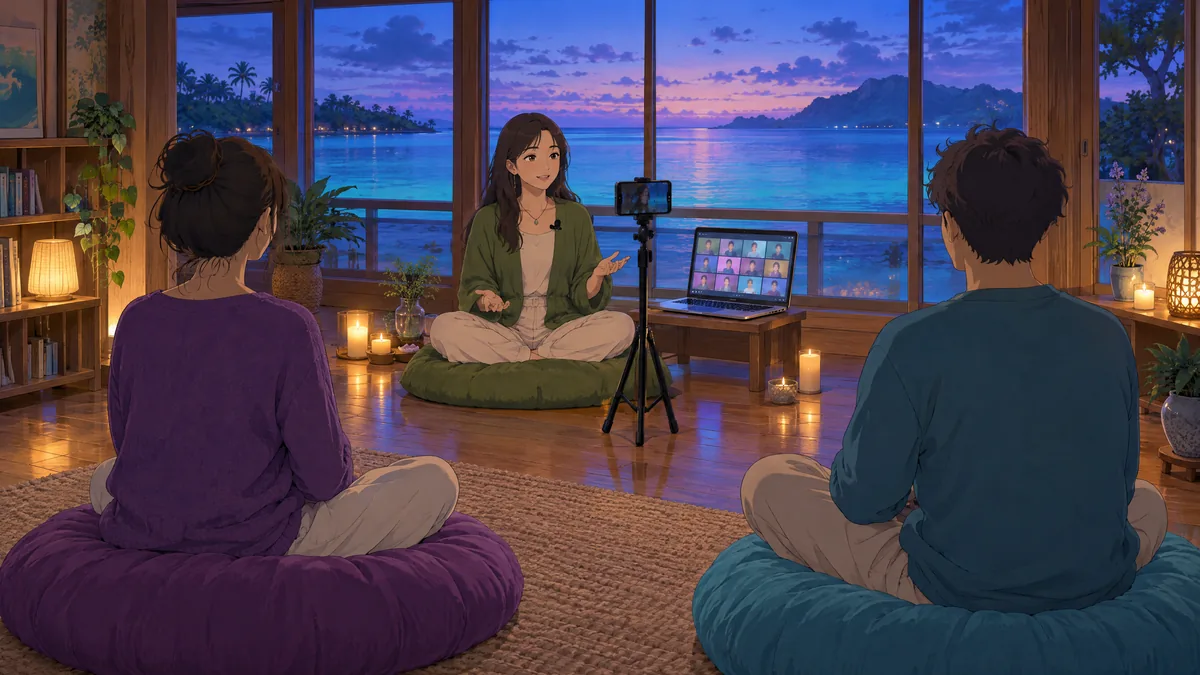
- Hybrid. Your room becomes a studio. You stream live and record at the same time. Position the camera so that only you are in the frame. That way your in-person guests aren't in the recording without having agreed to it.
- A recorded version. From the recordings you can later create a version people book separately and watch as often as they like.
As soon as you offer something online, it's worth taking a careful look at your wording, too. What I watch for is in the right words for your spiritual offer.
When the tech simply works
The best moment is when you forget the tech. Before the evening you set up the phone, plug in the microphone, start two programs, and then you're simply with your guests, in the room and on the screen. The next morning the recording is on your computer, and you realize: that wasn't hard at all.
What you actually need
A phone or laptop plus a good microphone, and you're already very well equipped. In detail:
- A computer. Mac or Windows, both work. If you use an iPhone, a Mac makes transferring files much more convenient.
- A camera: phone or laptop. Many modern laptops and MacBooks now have a good built-in camera you can use directly. For a start that's often plenty. Modern phones also deliver a very good picture and are easier to position. Look for a wide-angle lens. Not every smaller model has one, and without it you'll keep walking out of the frame during standing practices. On a current Mac, an iPhone can be used as a camera directly; for other combinations there are apps that turn your phone into a webcam.
- A good microphone. This matters more than the camera. People forgive a slightly soft picture far more readily than bad sound. I like a wireless clip-on system such as the Rode Wireless GO II: a small transmitter clips to your clothing, the receiver goes into the computer. You move freely, with no cables.
- A tripod or a clamp for your phone, so the picture stays steady.
- Light. Look at the room light once at the time of day your event takes place. Often it's enough. If not, add one extra lamp.
- OBS Studio for recording. Free, for Mac, Windows and Linux. You choose camera and microphone freely and record in good quality straight to your own computer.
- Google Meet for streaming. For live events I prefer Google Meet. You can share your screen there too, for an image or a few key points. Check beforehand what your account allows, for example how long group calls can run.
One trick that connects recording and streaming: OBS can output its picture as a virtual camera. In Google Meet you then select that virtual camera. Both run from one source, and you don't set anything up twice.
What can wait: a DSLR with a wide-angle lens for around $1,500 is overkill for the start, in my view. A 360-degree camera is a nice option for later. It captures the whole room, and you choose the frame afterwards in the app. But that takes some practice.
What happens after the recording
Here's where AI saves real time. A recorded evening holds far more than the evening itself. Let a transcription tool turn it into text, and AI can help you draft an article, a short email to your list or a few posts from it, in your wording. Ask your guests for permission before anything from a shared session goes public, and leave out everything personal they said.
A test run this weekend
Before you buy anything, do a small test with what you already have. Set up your phone or laptop the way you would on your evening, ideally in the real room. Start a Google Meet call with a friend and let a recording run at the same time.
For ten minutes, do what you'd do on your evening: talk, move, a standing practice. Then watch the recording and ask yourself just two things: Can people understand me clearly? Am I in the frame the whole time? If both are yes, you're ready. If not, you know exactly what's missing.
Your guests don't come for perfect lighting. They come for you and for what they experience with you. A steady picture and clear sound are plenty. My own setup didn't come together in a day either, but level by level, whenever I noticed what was really missing.
Frequently asked questions
What equipment do I need to host an online spiritual event?
A computer, a phone or laptop camera, a good microphone and a tripod are enough to start. Sound matters more than picture. Add light only if the room light isn't sufficient at the time of your event.
How do I stream and record a hybrid event at the same time?
Record with OBS Studio and use its virtual camera as the camera in Google Meet. That way streaming and recording run from one source, and you only set things up once.
Do I need an expensive camera for online events?
No. Modern phones and many laptop cameras deliver a very good picture. Look for a wide-angle lens so you stay in the frame during standing practices.
How do I protect in-person guests' privacy during a hybrid event?
Position the camera so that only you are in the frame, tell guests that the session is being streamed and recorded, and ask for permission before you share anything from a session publicly.